Command Line How-To
For Windows
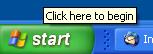
Instructions for starting a command line application in Windows:- Go to the start menu
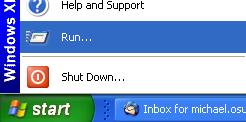
- Select Run...
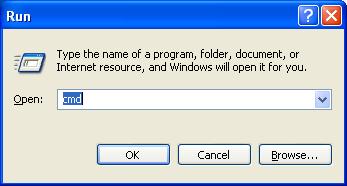
- Enter cmd, and click OK
Navigating using the Command Line
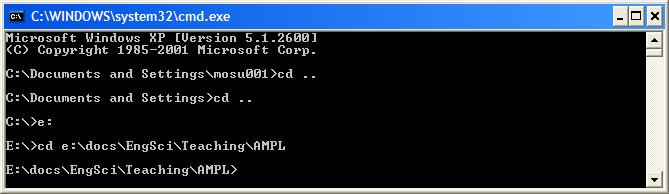
To change drives, e.g., fromC: to E: simply type e: (or E:) at the command line prompt.
To change directories in a drive type cd and the directory path, e.g., to get to the AMPL directory simply type cd cd ...
 If you get stuck, try typing
 help.
-- MichaelOSullivan - 27 Feb 2008 Topic revision: r2 - 2008-02-27 - MichaelOSullivan


 Site map
 Forum web

 Create New Topic
 Index
Index Search
 Changes
 Notifications
 RSS Feed
 Statistics
 Preferences
 Account
 |
 |
|
|
|
|

 Copyright © 2008-2026 by the contributing authors. All material on this collaboration platform is the property of the contributing authors.
 Ideas, requests, problems regarding TWiki? Send feedback